Unified inbox comparison
Unified Inbox vs App Launcher: What Is the Difference?
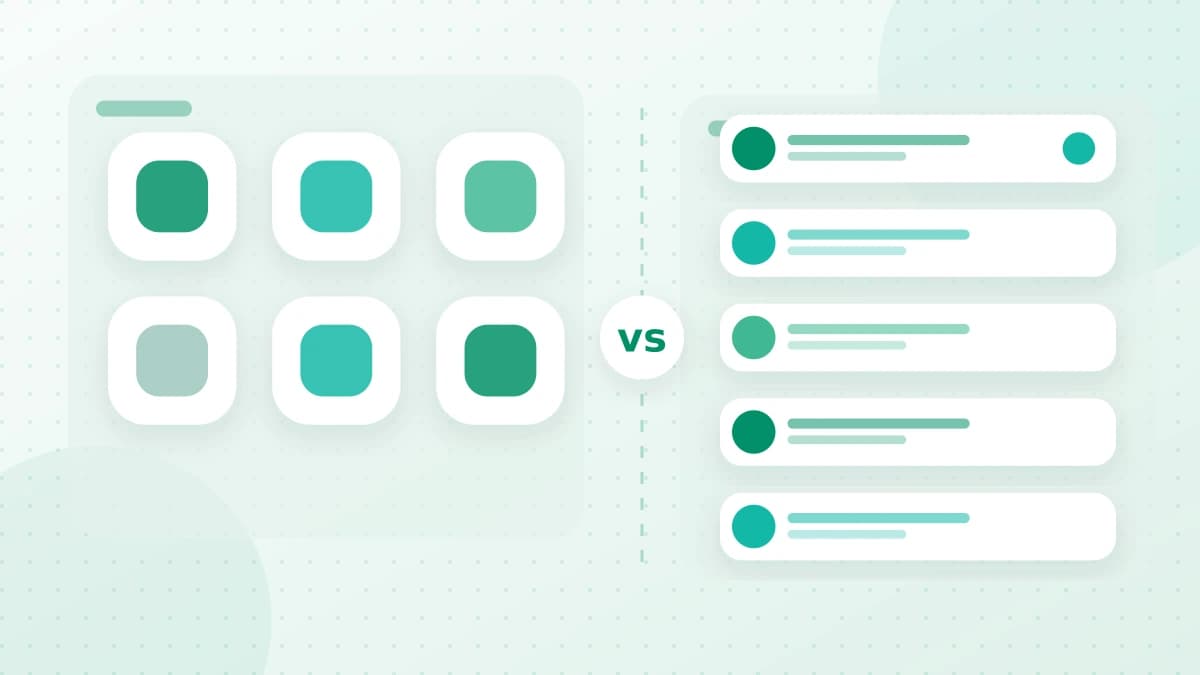
A row of messaging shortcuts and a synchronized unified inbox can look similar at first, but they solve different parts of the app-switching problem.
- Publication date
- Updated
- Reading time
- 6 min read
- Author
- Linkrium Editorial Team
Checked against first-party documentation on for Web, Desktop. Interfaces change and rollouts are staged, so confirm details in your own app version.
On this page8 sections
An app launcher, a web wrapper, and a unified inbox can all promise fewer open windows. That does not mean they provide the same message workflow.
If you are deciding whether the native apps already cover your needs, compare WhatsApp and Telegram across privacy, search, groups, files, and devices before adding another layer.
The simplest distinction is this: a launcher helps you reach separate apps, while a unified inbox brings supported conversation data into a common interface.
Quick answer#
An app launcher opens separate applications from one place. A web wrapper loads each provider's own web interface in tabs or panels. A unified inbox synchronizes message data from supported accounts into one queue with shared search and one history per contact.
Launchers and wrappers reduce window switching but keep every provider's unread state, search and notifications separate. A unified inbox is the only one of the three that can give you a single queue — and only for the accounts a given product genuinely supports today.
The short comparison#
| Capability | App launcher | Web wrapper | Unified inbox |
|---|---|---|---|
| Opens several services from one place | Yes | Yes | Often |
| Keeps each provider interface | Yes | Yes, inside tabs or panels | Usually no |
| One unread queue | No | Usually no | Possible across synchronized accounts |
| Search across connected content | No | Usually no | Possible within synchronized history |
| One contact history across identifiers | No | No | Possible with identity matching |
| Account access required | Little or none | Provider web sessions | Provider authorization or connection |
| Preserves every native feature | Opens the native app | Often preserves the web version | No; support varies by provider |
“Possible” matters. A product should demonstrate each shared capability and list the accounts for which it is actually available.
What an app launcher does well#
An app launcher gives you one menu, dock, or keyboard shortcut for opening several services. It can reduce desktop clutter and help you remember where each account lives.
Because the conversations remain in their original applications, the launcher usually needs little access to message content. You also retain each app’s native layout and supported features.
The trade-off is that you still have separate unread counts, searches, notification settings, and conversation histories. If your main problem is forgetting which apps exist, a launcher may be enough. If your problem is monitoring and organizing the conversations inside them, it may not be.
What a web wrapper changes#
A wrapper places multiple provider websites inside one application window. This is more convenient than a launcher because the services can stay open side by side.
However, each provider normally remains a separate tab or panel. Searching one tab does not automatically search the others, and a contact who uses two services still appears as two unrelated conversations.
A wrapper may preserve more provider-specific features because it displays the provider’s own web interface. It also inherits the limitations of those web clients and their browser sessions.
What makes an inbox genuinely unified#
A unified inbox normalizes selected data from supported accounts into shared fields such as sender, timestamp, direction, content, and source. This can enable a common unread queue, cross-account search, and one timeline for a contact with several verified identifiers.
The provider should still remain visible. Email subjects, chat replies, groups, attachments, delivery states, edits, and reactions do not map perfectly onto one universal model.
Linkrium uses a contact-based model for synchronized messages from connections available in the current environment. Its connection screen is the source of truth; unavailable channels should not be inferred from the phrase “unified inbox.”
The security trade-off#
Deeper integration requires deeper access. A launcher may only know which shortcut you clicked. A wrapper may hold provider web sessions. An aggregator needs authorization or connection material sufficient to retrieve and, where supported, send messages.
Before connecting an account, ask:
- What authorization method is used?
- Where are credentials or tokens stored?
- Can the connection be revoked from the provider?
- How much history is imported?
- What happens to synchronized data after disconnection?
- Which encryption properties change when content is processed outside the native app?
Avoid a product that answers these questions with a general privacy slogan. The details vary by provider. Linkrium documents its own boundaries in its security overview.
How to tell which approach a product uses#
Run five practical checks with non-sensitive test conversations:
- Search for the same distinctive phrase from two supported accounts.
- Open one person and see whether verified identifiers share a timeline.
- Mark an item read and observe whether there is a real shared queue.
- Send a reply and verify which connected provider delivered it.
- Disconnect an account and inspect the warning and data-removal behavior.
If every action simply opens a provider tab, the product is functioning as a launcher or wrapper. That can still be useful; it is just not the same as synchronized aggregation.
Which one should you choose?#
Choose an app launcher when you want fast access to native apps with minimal new account permissions.
Choose a web wrapper when you want several provider web clients in one window and are comfortable keeping their workflows separate.
Choose a unified inbox when shared triage, search, or contact history would remove meaningful work—and when you are satisfied with its connection methods and documented feature limits.
The best choice is the smallest change that solves your actual problem. If a unified inbox fits, use the message aggregator guide and evaluation checklist before connecting important accounts.
Frequently asked questions
Is a web wrapper the same thing as a unified inbox?
No. A wrapper loads each provider's own web interface in a tab or panel, so every service keeps its own unread state, search and notifications. A unified inbox synchronizes message data from supported accounts into one queue with shared search.
Why can a unified inbox support some accounts and not others?
Access depends on what each provider exposes and permits. Some offer documented APIs with authorization; others restrict third-party clients or offer business-only access. Support therefore has to be claimed per account type, not per logo.
Does a launcher risk less than an aggregator?
A launcher usually holds no message data, which narrows its exposure. An aggregator holds synchronized data and therefore has to be judged on authorization scope, storage, encryption and deletion behavior before you rely on it.
Which one should I choose?
If your problem is only too many windows, a launcher or wrapper is the smaller change. If your problem is one unread queue, one search and one history per contact, only a synchronizing unified inbox addresses it — for the accounts it actually supports.
Official sources
The sources below support the platform behavior discussed in this article.